The My School DC post-lottery application period is open.
Follow the steps below to enroll/apply.
If you missed the K–8 lottery application deadline for the school year, it’s not too late. Apply today using the My School DC post-lottery application to be added to a waitlist. Learn more about waitlists here.
Follow the steps below to apply via MySchoolDC.org.
Enrollment at Friendship Public Charter School Online (Friendship PCS Online) is a three-part process.
- Families must enter the My School DC Post-Lottery and select Friendship Online as their first choice. Directions for completing the lottery application process are listed below.
- Families will be sent a seat offer at Friendship PCS Online via email, which they must accept to secure their spot.
- Families will be notified about how to submit their documents and set up their online accounts to complete their enrollment.
How to Complete the My School DC Post-Lottery Application
Please read through all the steps before starting the post-lottery application process.
- Navigate to the application page on the My School DC website at https://apply.MySchoolDC.dc.gov/login.aspx.
- Click “Create Account”, provide the requested information, and submit.
- To verify your email address, click the link in the confirmation email you will receive.
- Follow the steps on the website to start the post-lottery application.
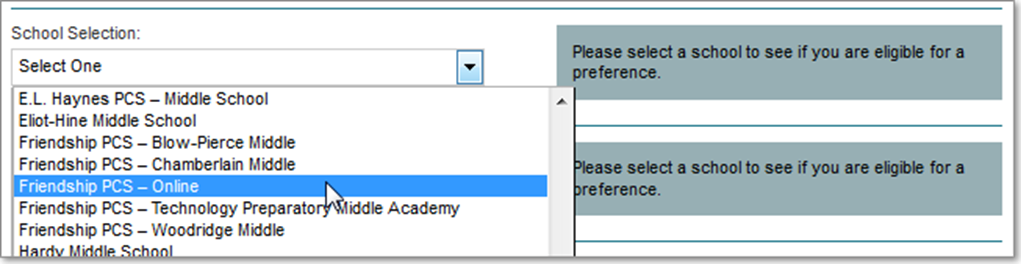
- Under School Selection, choose Friendship PCS–Online.
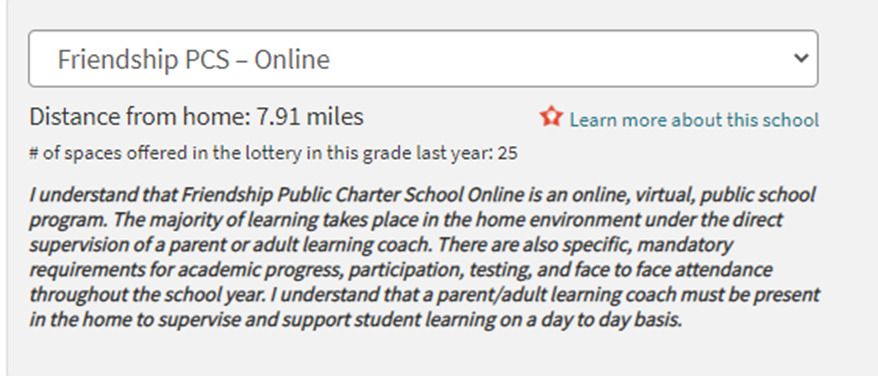
6. Check the box stating you understand Friendship PCS–Online is a virtual public school.
7. Complete the rest of the post-lottery application and click submit.
For My School DC questions, contact them directly via the My School DC Hotline at 202.888.6336 between 8 AM to 5 PM (ET) from Monday through Friday, or email them at info.MySchoolDC@dc.gov.